Private Deals
Private marketplace deals
Understand private auctions and preferred deals, check inventory and price terms, and decide how to manage a non-guaranteed deal.
A private marketplace deal gives a buyer access to inventory on terms agreed with a publisher or seller.
Before using one, confirm what inventory it covers, who can buy it, how the price works and whether delivery is committed.
A deal ID identifies an offer. It does not promise impressions or establish that they will suit the campaign.
Know what has been offered
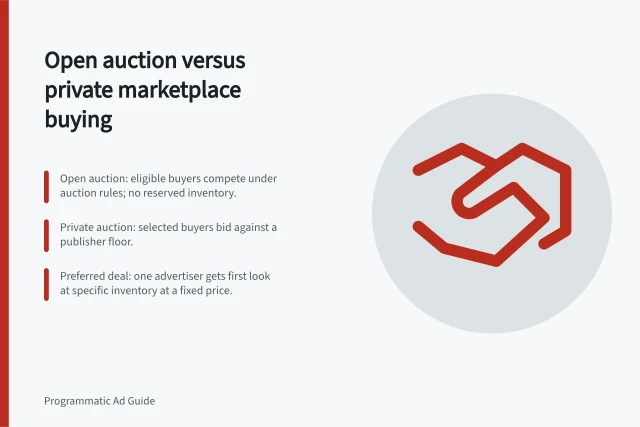
In Google Ad Manager, a private auction invites selected buyers to bid on non-guaranteed inventory against a floor. A preferred deal gives a selected buyer a negotiated fixed-price opportunity, also without reserved volume.
Programmatic Guaranteed is a separate transaction with a pre-committed set of inventory. These are Google's terms; check another seller's agreement before treating its labels as equivalent.
| Offer | Price and access | Delivery question |
|---|---|---|
| Private auction | Invited buyers bid against a floor | How many relevant requests are likely to reach this buyer? |
| Preferred deal | Selected buyer has a fixed-price opportunity | What quantity is estimated, and what happens when the buyer passes? |
| Programmatic Guaranteed | Fixed-price terms include committed inventory | What quantity, dates and remedies are agreed? |
For a non-guaranteed offer, request the seller name, deal ID, exchange, buyer account, format, eligible properties or placements, market, dates, creative requirements and price rule. Ask whether it covers a named page or player, a wider property, or inventory that can appear elsewhere.
In Display & Video 360, a video inventory source can represent a player embedded on other websites. Its name alone does not restrict delivery to the publisher's own site.
Check that the buyer can use it
Confirm that the deal is available to the intended advertiser and that the buyer's line item targets it. In Display & Video 360, a line item with no inventory-source targeting defaults to enabled open-auction supply.
A private deal is targeted when that deal or its group is added. Keep the agreed terms in the handoff so the buyer can check the setup against them.
Compare the deal's geography, environment and sizes with the campaign's targeting and approved creative. Audience rules, frequency caps and suitability settings can reduce buyable inventory even when the seller has requests. Check that the bidding strategy can meet the applicable price.
Follow the deal through acceptance
A Preferred Deal starts with a proposal sent to the buyer. The parties can suggest changes through negotiations; once they agree to the terms and the buyer accepts, the proposal is finalised and Ad Manager creates corresponding delivery line items. Keeping the agreed details in the proposal gives both parties a record of the terms.
A Private Auction is initiated by the publisher, which invites buyers and configures the deal. The buyer finds the proposal in the Authorized Buyers Marketplace and, after accepting it, can bid on the inventory. Google says Private Auctions do not require the negotiation process used for Preferred Deal or Programmatic Guaranteed proposals.
For a Private Auction, the publisher can set priority over Open Auction for selected buyers. The auction model determines which buyer wins each impression; setting a priority does not itself guarantee a particular volume.
Set up the buyer-side inventory source
In Display & Video 360, add a non-guaranteed fixed deal or non-guaranteed auction from Inventory > My Inventory by selecting New > New non-guaranteed inventory. Enter the deal name and ID, exchange, format, creative requirements, rate type and rate, and any start or end dates. Specify which advertisers can access the source.
Check key fields before saving: Display & Video 360 says the deal ID, exchange and inventory format cannot be changed afterwards. The source also cannot be changed from a non-guaranteed fixed deal to a non-guaranteed auction, or vice versa, once saved.
Google Ad Manager deals must sync to Display & Video 360 before they can be accepted on the Negotiations page. Rubicon deals sync directly to My Inventory and can be used without that acceptance step.
Decide how much budget to expose
Estimate the impressions and outcomes the campaign needs, then ask the seller for an inventory estimate covering comparable dates, market and formats. An estimate is a planning input, not a reservation on a private auction or preferred deal.
If access to a named placement is essential, record how much of the plan depends on it and what happens if it delivers less than expected.
Start with a limited allocation and a review date. Record the deal ID, line item, authorised spend, outcome measure and reporting time zone. For Australian teams working across states, name the time zone used for daily cut-offs.
Review requests, bid responses, wins, spend and outcomes where reporting permits. Few incoming requests call for a different investigation from many requests but few wins.
Increase the allocation only if delivered placements fit the brief and the cost of the chosen outcome is acceptable. If delivery is weak, diagnose eligibility and auction losses before changing bids or targeting. If volume must be assured, seek a guaranteed proposal and check its contract rather than treating a non-guaranteed estimate as a promise.
For a Preferred Deal, ask the seller to enter an estimated quantity that reflects a realistic delivery expectation. Google says this value can later help monitor and troubleshoot the campaign, so compare it with actual delivery during the review rather than treating it as committed volume.
A Private Auction buyer that fails to place a valid bid above the negotiated CPM floor may lose access to that impression, which can then become available on the Open Auction. For a Preferred Deal, inventory the buyer passes on or does not validly bid for may instead become available through Private Auctions or the Open Auction.
Key Facts About Non-Guaranteed Deals
- Estimate purpose
- Planning input only – not a reservation
- Private Auction floor bid risk
- Failing to bid above floor = lose impression to Open Auction
- Preferred Deal pass-through
- Unbought inventory may go to Private Auction or Open Auction
- Australian time zone note
- Use local time zone (e.g., AEST) for daily cut-offs across states
In this guide
- Comparing deal IDs by access, floor price and inventoryUse a consistent worksheet to compare private deal IDs, buyer access, floor or fixed pricing, and inventory the campaign can actually buy.
- Testing a private deal before shifting a larger budgetPlan a limited private-deal pilot, check requests through wins and outcomes, and set a rule for increasing the allocation.
- Troubleshooting a deal that wins no impressionsTrace zero private-deal wins from requests through bids, price filters and auctions, then correct the constraint the evidence identifies.