Measurement
Programmatic campaign measurement
Measure programmatic delivery, viewability, deduplicated reach and attributed conversions against the campaign outcome, with each metric's limits clear.
Measure a programmatic campaign against the outcome in its brief; use delivery measures to explain the result. Spend and impressions show what was bought. Viewability describes measured exposure, reach estimates how many people were exposed, and attributed conversions associate actions with ads under defined rules. No single measure proves the campaign caused a business result.
Set the measurement plan before launch
Name one primary outcome and its reporting source. For an enquiry campaign, that might be completed qualified forms rather than visits to a form page. For an awareness campaign, it might be estimated reach in the intended market; add a separate study if the brief requires evidence of changed awareness. State the flight dates, currency, Australian market, named reporting time zone and review date.
Record the conversion event, counting rule, attribution model and post-click and post-view windows. Specify which events the report includes. If a definition or setting changes during the flight, mark its effective date and assess the periods separately.
| Question | Measure to request | Limit to state |
|---|---|---|
| Did the buy deliver? | Spend and impressions by line item | Delivery is not the campaign outcome. |
| Was delivery measurable and viewable? | Viewability reporting and coverage | Unmeasured impressions have unknown viewability. |
| How many people were exposed? | Deduplicated reach for a supported reporting period | Reach is modelled and may be unavailable for some slices. |
| Did people take the intended action? | Defined attributed conversions and the underlying business record | Attribution does not establish causation. |
Key Programmatic Metrics and Their Purpose
- Spend and ImpressionsWhat was bought; shows delivery volume.
- ViewabilityMeasures whether an ad was visible for a defined time; requires Active View measurement.
- Deduplicated ReachEstimates unique people exposed to the campaign across devices using cookies, device IDs and sign-in data.
- Attributed ConversionsAssociates user actions with ads under defined attribution rules; does not prove causation.
Choose a consistent reporting view
Confirm the currency setting before comparing spend across reports. Display & Video 360 can show metrics in the advertiser’s currency, the partner’s currency or US dollars; record which view the report uses and keep it consistent across the campaign review.
Use the report’s metric descriptions to understand what each figure represents. Report platform-provided metrics with their labels rather than manually reconstructing them from other rows.
Read exposure with its denominators
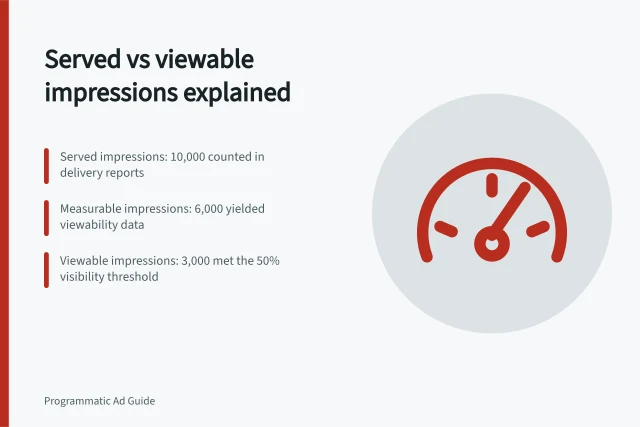
A served impression and a viewable impression answer different questions. Active View measures whether an impression was viewable and for how long. Ask for the available viewability reporting and state any coverage limitations. A high viewability result can coexist with limited measurement coverage.
For standard display measurement, Active View generally requires at least half the ad to be visible for one second; display ads of at least 242,500 pixels use a 30% threshold.
Its video threshold is at least half the ad visible while it plays for two consecutive seconds. Check the metric and format used, particularly for connected TV. A threshold does not show that someone paid attention or remembered the message.
Keep reach distinct from impressions
Impressions can be added across non-overlapping report rows; unique people generally cannot. The same person may encounter several line items or days. Request reach at the combined campaign level for the relevant period and inventory rather than adding row-level reach.
Display & Video 360 estimates unique reach across devices using unique cookies, mobile device IDs and aggregated sign-in data. Present reach as an estimate rather than an exact count of people.
Choose the reach view that matches the objective
A reach report can distinguish estimated unique users who saw an ad from those who saw a viewable ad. If the brief is about potential exposure, impression reach may be relevant; if it is specifically about exposure meeting viewability standards, use viewable impression reach and label it accordingly.
Average impression frequency describes the average number of times an ad was seen by unique users during the reporting period; average viewable impression frequency applies that measure to viewable ads. These are campaign-level estimates based on unique cookies, mobile device IDs and aggregated sign-in data.
Interpret conversions under the chosen rules
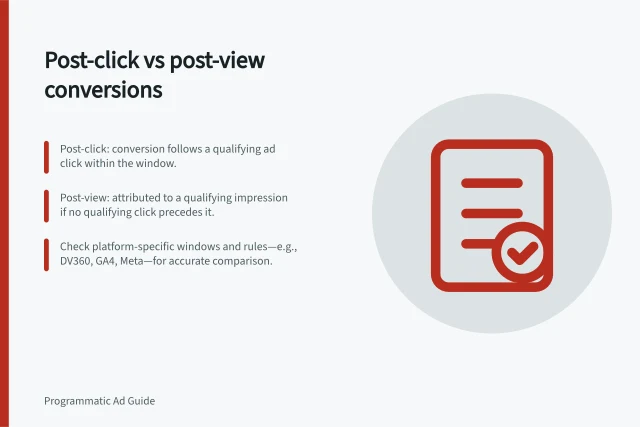
Post-click and post-view conversions describe qualifying interactions under an attribution system. Under Google's Floodlight counting rules, a qualifying click takes precedence over an impression for the same conversion.
The event, counting method, windows and attribution model affect the figures; other systems may classify them differently. A post-view conversion is an association with an impression, not evidence that the ad caused the action or that the impression was confirmed viewable.
Put attributed conversions beside first-party records for the corresponding event and period, with each source labelled. Investigate differences in definitions and timing before using either figure to describe campaign-driven sales. A causal question needs an appropriate experiment or comparison beyond the attribution report.
Pros and Cons of Using Attributed Conversions
- ProsHelps quantify ad impact on user actions; supports performance analysis across channels.
- ConsDoes not establish causation; sensitive to attribution window and model choice; may include non-viewable impressions.
Select an attribution lens that suits the question
Attribution models distribute or assign credit according to different rules. Display & Video 360 lists Floodlight, last interaction, first interaction, linear, time decay and position-based models; name the chosen model in the report so readers know how the attributed result was produced.
Check which conversion types the model includes and whether it includes or excludes modelled conversions. Display & Video 360 can also limit attribution to viewable impressions, or to engaged views and viewable impressions for video, so note any such restriction when interpreting attributed totals.
If the advertiser is linked to Campaign Manager 360, attribution models are created there; otherwise, they can be created in Display & Video 360. Data-driven models are available as the primary model only when Floodlight is managed in Campaign Manager 360, so confirm that the model used is available in the relevant setup.
Attribution Models in Display & Video 360
- FloodlightDefault model; prioritises clicks over impressions.
- Last InteractionGives full credit to the final touchpoint before conversion.
- First InteractionCredits the first ad interaction.
- LinearEqual credit across all touchpoints.
- Time DecayMore credit to touchpoints closer to conversion.
- Position-BasedHigher credit to first and last interactions.
Close with a decision
At each agreed cut-off, read the primary outcome alongside spend, delivery and measurement coverage. Investigate falling measurability before interpreting a viewability change. Separate a reporting-setting change from a possible performance change. If impressions grow while estimated reach stalls, inspect the relevant frequency report before changing the plan.
Summarise the outcome against the brief, definitions used, configuration changes and remaining uncertainty. State the next decision the evidence supports.
In this guide
- Distinguishing served, measurable and viewable impressionsSee how served, eligible, measurable and viewable impressions differ, which denominator each Active View rate uses, and what remains unknown.
- Comparing post-click and post-view conversionsCompare post-click and post-view conversions using consistent events, windows and attribution rules, and understand what the split cannot prove.
- Evaluating programmatic reach without double counting usersUse campaign-level deduplicated reach, understand overlap across report rows, and state identity, reporting-window and modelling limits.